Internal
Important: Recent local law changes take effect August 1, 2026, restricting surcharges on debit card transactions in Louisiana. This impacts a small subset of merchants using Dual Pricing specifically in Louisiana without a manual exclusion for debit, since the Advantage Program does not auto-detect debit BINs. For additional information, please review Louisiana Debit Surcharge Ban article.
Jump to a section by selecting a link below:
Note: Any pricing changes go into effect on the first of the billing month.
Note: This information provides updates to the Advantage Program and is intended to clarify how the program works, what options merchants have under the program, and how those options work using Shift4’s technology solutions. The communications and interactions with merchants and partners are focused on providing program update information only.
Important: The Advantage Program is not automatically enabled on most POS brands even if set up through Shift4 Dine Customer Hub. After proposing the Advantage Program, it is crucial to schedule its manual enabling with the appropriate technical teams. For more information on the enrollment process, refer to the Advantage Program Enrollment Process for Shift4 Products article.
Note: Shift4 is providing you with the following information to enable you to make the best choice for your business.
As a best practice, we recommend you complete any system changes at the beginning of your day.
Warning: All Advantage Program participants should be aware of the following disclosure: Advantage Program Disclosure Agreement.
Shift4 reserves the right to review and enforce compliance at any time.
General FAQS
What is the Advantage Program?
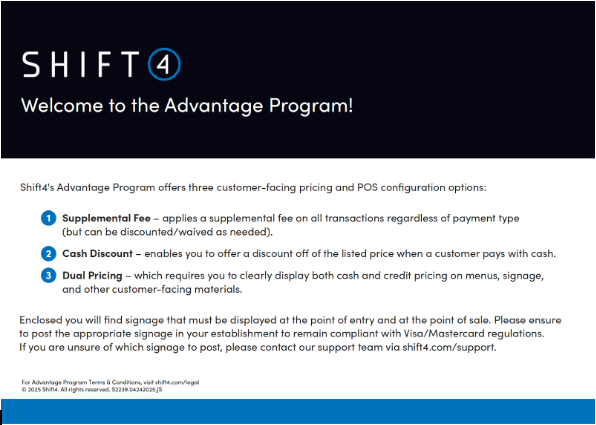
The Advantage Program is a series of patron-facing pricing options and POS configuration options designed to help you cover rising business costs and improve your bottom line. The Advantage Program offers you three pricing options: a Dual Pricing option, a Supplemental Fee option, and a Cash Discount option:
-
Dual Pricing Option: With Dual Pricing, you can offer a simple cash vs. non-cash total on the receipts presented to customers and on the customer-facing displays. The cash price will automatically be applied on the Payments screen when cash or gift cards are chosen.
Important: Dual Pricing requires you to clearly display both cash and credit pricing on menus, signage, and other customer-facing materials. - Supplemental Fee Option: You can also implement a Supplemental Fee on transactions, provided the fee is applied equally to cash and non-cash transactions. Supplemental fees are widespread in many industries, including hotels, restaurants, and sporting venues. For example, it is common to see "resort", "service", or "delivery fees", which are intended to offset various operational or inflationary expenses. You can remove a Supplemental Fee at your discretion.
- Cash Discount Option: You can offer patrons a discount on goods when a patron elects to pay for those goods using cash. To comply with Card Association regulations, however, if you offer a cash discount, you must display the non-cash price for those goods.
Is participation in the Advantage Program mandatory?
No. Participation in the Advantage Program is optional.
Internal
If a merchant wants to switch off the Advantage Program pricing to their prior pricing plan or a new pricing plan, such as Interchange+, they can work with Customer Support.
How do I sign up for the Advantage Program?
It's super simple! Please visit the Enroll and Set up Advantage Program for Shift4 Dine POS article for details.
Can I use Dual Pricing, Supplemental Fee, and Cash Discount at the same time?
No, only one version of the Advantage Program can be implemented at a time. You should review the information and determine the best way to implement it for your business.
Where can I obtain signage to communicate the Advantage Program?
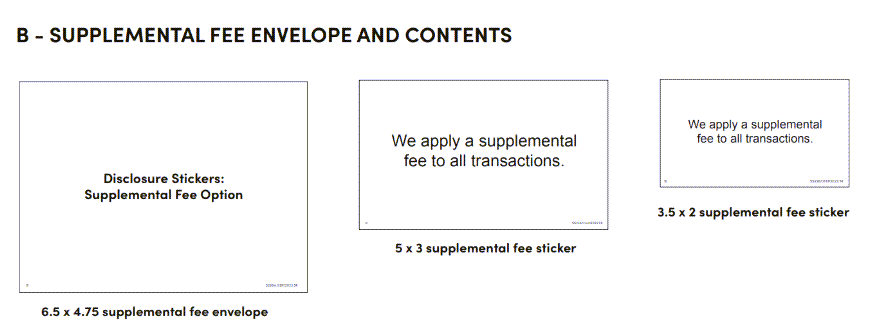
Merchants who have signed up for the Advantage Program will receive a Welcome Kit Postcard and all required signage for the Advantage Program with their equipment.
A - MAIN ENVELOPE AND CONTENTS
Internal
A PDF version of Supplemental Fee with Discount or Dual Pricing or Cash Discount signage can be emailed to the merchant. Please download a copy and email it using the ticket system:
Is the Supplemental Fee taxed?
The fee can be taxed or non-taxed. In Shift4 Dine POS, you indicate the Revenue Class for the fee, which can be taxed or not. You are encouraged to check with your local and State rules and regulations to identify the option that is right for you.
How will the different options of Dual Pricing, Supplemental Fee, or Cash Discount show on my statements, and will the billing cycle change?
The statement stays the same as it is today, and the billing cycle does not change.
What Shift4 Products Support the Advantage Program?
Compatibility with the different Advantage Program options varies by product and can be seen below. Merchant agrees that its use of the Advantage Program is contingent upon Merchant’s acceptance of and adherence to the Advantage Program Terms and Conditions.
What reporting is available for Advantage?
The Financial Overview and Activity Summary reports contain an Estimated Daily Deposit summary. Note that the Estimated Daily Deposit can only be calculated for a single location. These reports must be run for a single day only (multi-day reports cannot calculate the Estimated Daily Deposit). Refer to Enhanced Estimated Daily Deposit in Shift4 Dine Customer Hub for additional information.
Internal
What if a merchant asks for advice on how to run their business with our Advantage Program?
Please review the informational materials in the email you received or via the information in the Advantage Program FAQS and determine which is best suited for your business.
Do existing Advantage Program merchants need to make changes?
It is the merchant’s responsibility to ensure they are implementing the Advantage Program in a compliant manner. Therefore, merchants are encouraged to review the Advantage Program information, which covers the differences between the Dual Pricing, Supplemental Fee with Discount, and Cash Discount options.
How does the merchant sign up for the Advantage Program?
Please visit the Enroll and Set up Advantage Program on Shift4 Dine POS article for details.
If the merchant does not wish to enroll via the self-service option, an agent can enroll the merchant via Titan. For more information, follow the Account Maintenance Profile Changes article.
What if I want to change the current Advantage Program I am using?
Existing merchants currently using the Advantage Program should NOT adjust their % rates in order to avoid reporting discrepancies with their current discount rate.
New merchants to the Advantage Program should avoid changing programs once they are enrolled in either Dual Pricing, Supplemental Fee with Discount, or Cash Discount to avoid the same discrepancies.
While we allow merchants to change the settings on their locations, we discourage them from changing programs once enrolled.
Can a merchant add additional locations to the Advantage Program?
Yes. Additional locations can be added to the Advantage Program. Merchants are responsible for ensuring all locations are implementing Dual Pricing, a Supplemental Fee with Discount, or a Cash Discount option in a compliant way.
Can merchants use Dual Pricing, Supplemental Fee with Discount and Cash Discount at the same time?
No, only one version of the Advantage Program can be implemented at a time. Merchants should review the information and determine the best way to implement it for their business.
Can you use Debit/EBT cards while on the Advantage Program?
No. Advantage Program and Debit/EBT transactions are incompatible. If a merchant has the Advantage Program, they should not have Debit Gateway enabled.
Warning: Exception: when using Shift4 One only with a standalone device (A800, A80 or A930), it does support debit transaction processing and is compatible with the Advantage Program. This includes the implementation of supplemental fees and dual pricing programs.
Can merchants enroll in the Advantage Program if they are on Amex ESA?
Yes, merchants can participate in the Advantage Program while also being on Amex ESA. However, to avoid double-billing by both Amex and Shift4, we must ensure that the merchant is not charged the full Advantage Program percentage on their American Express volume. A proper setup is required to prevent overlapping fees.
Are merchants required to show both cash and non-cash prices on menus or signage?
Yes. With the Dual Pricing program, cash and non-cash pricing must be clearly advertised to customers on menus and/or signage.
Is anything changing on the billing statement each month?
No, the merchant account billing statement will look the same as it does today.
What are the different Advantage Program methods and requirements?
Method 1: Dual Pricing
With Dual Pricing, merchants can offer a simple cash vs. non-cash total on the receipts presented to customers and on the customer-facing displays. On the payments screen, the cash price will automatically be applied when cash or gift cards are chosen.
Important Tip: For this method, merchants must update menu prices in the POS system, online ordering platforms, printed menus, and marketing material.
Note: It is not sufficient to simply notify customers that “the prices listed are x% higher when using a credit card.” This does not meet the network requirements for displaying a non-cash price.
Method 2: Supplemental Fee with Discount
The Supplemental Fee with Discount option, which can be programmed into Shift4 Dine and legacy products, is applied to every transaction (cash and non-cash) at the point of sale, regardless of payment type.
Merchants must provide notice at the point of entry (the entrance door or webpage, for example), at the point of sale (the POS terminal or checkout page), and on the receipt to offer this option.
Shift4 Dine POS allows the merchant to label and set the amount for a Supplemental Fee. The merchant can indicate the Supplemental Fee percentage when they activate the program. The system automatically calculates and displays the Supplemental Fee amount on the receipt. The merchant retains the ability to remove a Supplemental Fee at its discretion. Once the % is set, if the merchant wishes to adjust, they should call support to avoid issues with report discrepancies and their daily discount rate.
Method 3: Cash Discount
The Cash Discount option is available in our Shift4 Dine POS, Shift4 One, and some Legacy POS systems. This program requires a merchant to display its non-cash price.
Important Tip: For this method, merchants must update menu prices in the POS system, online ordering platforms, printed menus, and marketing material.
Note: It is not sufficient to simply notify customers that “the prices listed are x% higher when using a credit card.” This does not meet the network requirements for displaying a non-cash price.
If merchants decide to opt out of the Advantage Program, does that affect their monthly promotional (deferment) credit on their Shift4 Dine POS system?
Yes, their account will no longer qualify for the promotion of the 12-month deferment (waiver) of their POS fees if they opt out of the Advantage Program for any other pricing method. When the pricing method is updated, the deferment will be removed.
Important: The one-year deferment on POS fees is still applicable to net-new merchants who are signing up for the Advantage Program. The deferment only applies to billing codes PA4 (Tablet) and PO1 (Shift4 Dine POS) up to a total quantity of 4 between both fee codes.
Where do merchants obtain signage to communicate the Advantage Program?
Merchants who have signed up for the Advantage Program will receive a Welcome Kit Postcard and all required signage for the Advantage Program with their equipment. A PDF version of Supplemental Fee with Discount or Dual Pricing or Cash Discount signage can be emailed to the merchant. Please download a copy and email it using the ticket system.
How does the Advantage Program look in Titan CRM, and does Titan tell you if the merchant is using Dual Pricing, Supplemental Fee with Discount, or Cash Discount?
If the merchant is on the Advantage Program, you will see the Advantage Program under the Programs tab in Titan and the approved %. The merchant can adjust pricing options and the %. Selecting the VIEW option on the program will show the version of Advantage and the date it was approved.
Note: For older/not-recently changed accounts, the View button may not show program-specific data.
What if a merchant agrees to 4% but only wants to discount 3%?
We strongly recommend the percentage configured matches in all systems for the statement to balance out accordingly.
What about current merchants using Advantage Program that are set under 4%? Will they be required to change to 4%?
No changes are required.
What is the escalation path for merchants who want to speak with a supervisor? Does the supervisor have a point of contact?
Follow existing escalation procedures.
For clarity, with the "Remove Fee" option, will the merchant have the ability to remove this per transaction?
Yes.
Will the merchant be provided with the specific & required notification for posting needed for each program?
Net-new signed-up merchants will receive an Advantage Program welcome kit. Existing merchants can contact support for the welcome kit/supplies.
For Dual Pricing, is the previous/existing signage still valid, or should it be removed/replaced with something different?
You can use the old signage, but feel free to also replace it with the newer version, as it is clearer.
Which version of Shift4 Dine POS will reflect the new Advantage Program?
Shift4 Dine v1.80 or higher, which is now required for all merchants, excluding stadiums.
Can we put locations on monthly discount billing versus daily discount that is required now?
No, not at this time.
Does the merchant need to have a specific rate to use this program?
The merchant should be using the rate signed up with Shift4, which can be changed.
What about standard credit card terminal accounts?
We are now offering the PAX S80 on Shift4 One with all programs for Advantage!
Will we debit the Supplemental Fee daily and use it towards the merchant's processing fees as it currently was?
Correct.
Will the Advantage Program one year credit still be in place as it was? If so, what determines the Supplement Fee percentage required for the monthly credit?
Yes, our one-year deferment on POS fees is still applicable to the Advantage Program net-new merchants signing up.
Shift4 Dine Customer Hub Advantage Program Set up
Will the Shift4 Dine Customer Hub Advantage Program Setup automatically update the POS, or will it still need to be done manually?
Shift4 Dine Customer Hub Advantage Program setup will automatically configure the POS settings. New boardings go into effect on the first of the month.
The Advantage Program rate defaults at 4% in the Shift4 Dine Customer Hub setup, but merchants can choose to charge customers less. If they set it lower, like 2%, do they cover the extra 2% themselves?
If the customer-facing rate is adjusted to 2%, the processing rate will remain unchanged, and the merchant will pay fees on the difference.
Will the Advantage Program be available to set up in Shift4 Dine Customer Hub for Legacy or just Shift4 Dine POS?
The initial release is for Shift4 Dine POS.
If the merchant enrolls in the Advantage Program through Shift4 Dine Customer Hub, will they also be able to go back to tradition?
They can contact S4 Support.
What are the other Advantage Program % choices that merchants can select when setting up their own Advantage Program?
The default is 4%. The merchant can set a lower customer-facing rate or a higher rate up to 5%.
Partner FAQs
What Shift4 Dine POS software changes are occurring as a result of these updates to the Advantage Program?
Merchants who do not have the program enabled will have the choice between the 3 options when the merchant enables the Advantage Program, with the default option being Supplemental Fee. Merchants who have Dual Pricing enabled will be able to switch programs if they wish. It's highly recommended they do NOT do this during operating hours.
Are instructions available to show how the Advantage Program options can be configured for Shift4 Dine POS?
Yes. The instructions are available in the Enroll and Set up Advantage Program on Shift4 Dine Customer Hub article.
Is the Supplemental Fee with Discount taxed?
The fee can be taxed or non-taxed. In Shift4 Dine POS, the merchant indicates the Revenue Class for the fee, which can be taxed or not. Merchants are encouraged to check with their local and State rules and regulations to identify the option that is right for them.
How will the different options of Dual Pricing, Supplemental Fee with Discount, or Cash Discount show on merchant statements, and will the billing cycle change?
The statement stays the same as it is today, and the billing cycle does not change.
How does a merchant reconcile a daily report out of Shift4 Dine to their daily deposit when on Advantage Program?
If the merchant charges 4%, it will stay the same.
On Shift4 Dine POS, is there a button that has to be pressed? Or does it happen automatically?
Once the setting is enabled, the chosen plan will be automatic for each transaction.
Does Daily Discount stay in place?
Yes.
Can the Sales Agent still choose a fee less than 4% in Sales Center when submitting a merchant application?
Yes.
When will these three options be available in the Sales Center?
These changes are live.
Can the Advantage Program be applied to Tips?
The Advantage Program can be applied to tips in certain situations. The following conditions apply to the Supplemental Fee and Dual pricing programs:
- Applied: Only when the fee or gratuity is part of the initial sale as a Tip Prompt.
- Not Applied: Merchants who adjust tips after the original transaction cannot apply the Advantage Program fee to the adjusted tip amount. Any processing fees associated with tip adjustments are the responsibility of the merchant.
As an example of a merchant covering the cost:
For a $100 ticket on the 4% Advantage Program, the fee would be $4, for a total of $104.
This does not include any calculations for tips added by the customer.
If the customer leaves a $100 tip, the total charged to the customer is $204.
When the batch is run, the 4% Supplemental Fee is calculated for the total amount of the ticket. In this example, the Advantage program total is approximately $7.85, a difference of $3.85.
Examples of POS Screens and Printed Checks
Example of Dual Pricing
| Ticket Detail screens | Payment Selection screen | |
Printed Guest Check/Ticket
Example of Supplemental Fee
| Ticket Detail screens | Payment Selection screen | |
Printed Guest Check/Ticket
Example of Cash Discount
| Ticket Detail screens | Payment Selection screen | |
Printed Guest Check/Ticket
Comments
0 comments
Please sign in to leave a comment.